 11
11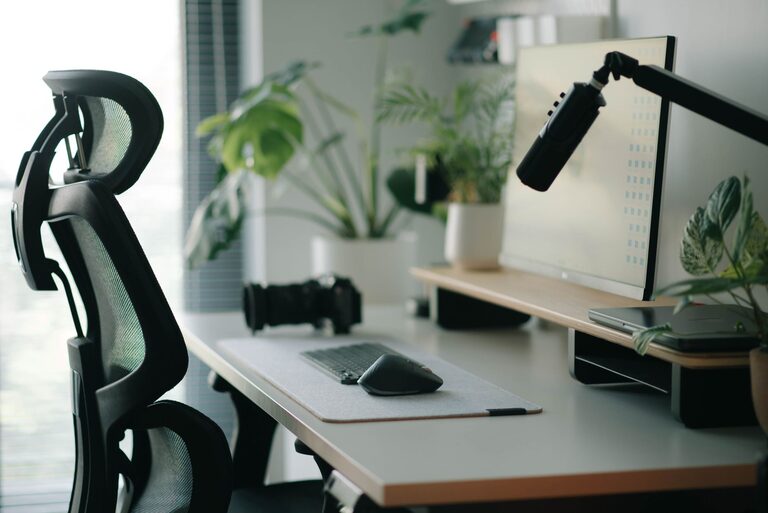
Creating an ideal desk setup is essential for maintaining focus and comfort during your workday. Whether you’re working from home or at the office, a well-designed workspace can improve productivity, reduce discomfort, and help you stay organised. In this post, we’ll explore practical tips for setting up your desk so it supports both your concentration and physical well-being.
The way your desk is arranged affects much more than just your appearance. Poor setups can lead to distractions, poor posture, eye strain, and general discomfort. On the other hand, a thoughtful workspace encourages better work habits and makes tasks feel less tiring.
Make sure your desk is at a height where your forearms are parallel to the floor when typing or writing. A desk that is too high or too low can strain your shoulders and wrists. Your desk should also have enough space for your computer, monitor, and any other essentials without feeling cramped.
Invest in a chair with good lumbar support and adjustable height. Sitting in a chair that supports your lower back reduces the risk of back pain. Your feet should rest flat on the floor or on a footrest, and your knees should be roughly level with your hips.
Your computer screen should be directly in front of you, about an arm’s length away. The top of the monitor should be at or just below eye level to avoid neck strain. If you use multiple monitors, position them side-by-side and at equal heights.
Clutter disrupts focus, so keep only daily-use items within reach. Use organisers, trays, or drawers to store pens, notebooks, and other tools. This reduces distractions and makes it easier to find what you need quickly.
Good lighting reduces eye strain and improves mood. Natural light is best, so position your desk near a window if possible. Use adjustable desk lamps with soft, warm light to complement your room’s lighting and avoid harsh overhead lights.
Choose ergonomic options designed to reduce wrist strain. Consider a cushioned mouse pad or a wrist rest to enhance comfort further.
A comfortable desk mat can help reduce pressure on your wrists and add a pleasing texture to your workspace.
If your feet don’t easily reach the floor, a footrest can help support your lower body and improve circulation.
Keep a water bottle nearby to remind yourself to stay hydrated throughout the day. Adding personal touches like plants, photos, or artwork can make your space feel inviting and motivate you to stay at your desk longer.
Sitting for extended periods can cause stiffness. Consider integrating standing desk options or taking short breaks to stretch and move around. This improves circulation and refreshes your focus.
Sit upright with your back supported and shoulders relaxed. Avoid slouching or leaning forward. This helps prevent fatigue and musculoskeletal issues.
Your needs may change over time, so take a moment every few months to evaluate your desk setup. Adjust ergonomics, lighting, or organisation as necessary to maintain comfort and focus.
—
By thoughtfully arranging your desk and incorporating ergonomic principles, you can create a workspace that supports your productivity and well-being. Start small by adjusting your monitor and chair, then gradually add accessories and organisation tools to build a desk setup that works best for you. Happy working!